Order management for FMCG distributors on Tally
OrderDak takes the orders retailers and your salesmen send on WhatsApp, Excel and PDF, reads every line, and checks it against your Tally item list, price list, stock and each retailer's credit limit. Clean orders are approved in one click and become Tally Sales Orders.
An FMCG distributor gets many small orders a day. Retailers send a list on WhatsApp in mixed Hindi and English. Salesmen forward a photo of a printed order. A modern-trade buyer emails a PDF. Each one uses its own names for your SKUs, and many lines are in cases while your Tally item is in pieces.
Typing these into Tally takes the whole morning. Rates drift from the price list. Stock runs short on fast movers and nobody notices until dispatch. Retailers with old dues keep getting new orders.
OrderDak puts every order in one inbox, however it arrived. It matches lines to your stock items and learns each retailer's words for your products. It checks the rate, the pack size, the stock on hand and the credit limit before the order can go to Tally. Messages that are not in English always go to a person for review.
Steps in OrderDak
Load your item list and retailers
Export Stock Items and Sundry Debtors from Tally as CSV and upload them in setup. Include the pack size if you sell in cases.
Collect the day's orders
Paste retailer WhatsApp messages, upload salesmen's photos of printed orders and Excel sheets, or forward order emails.
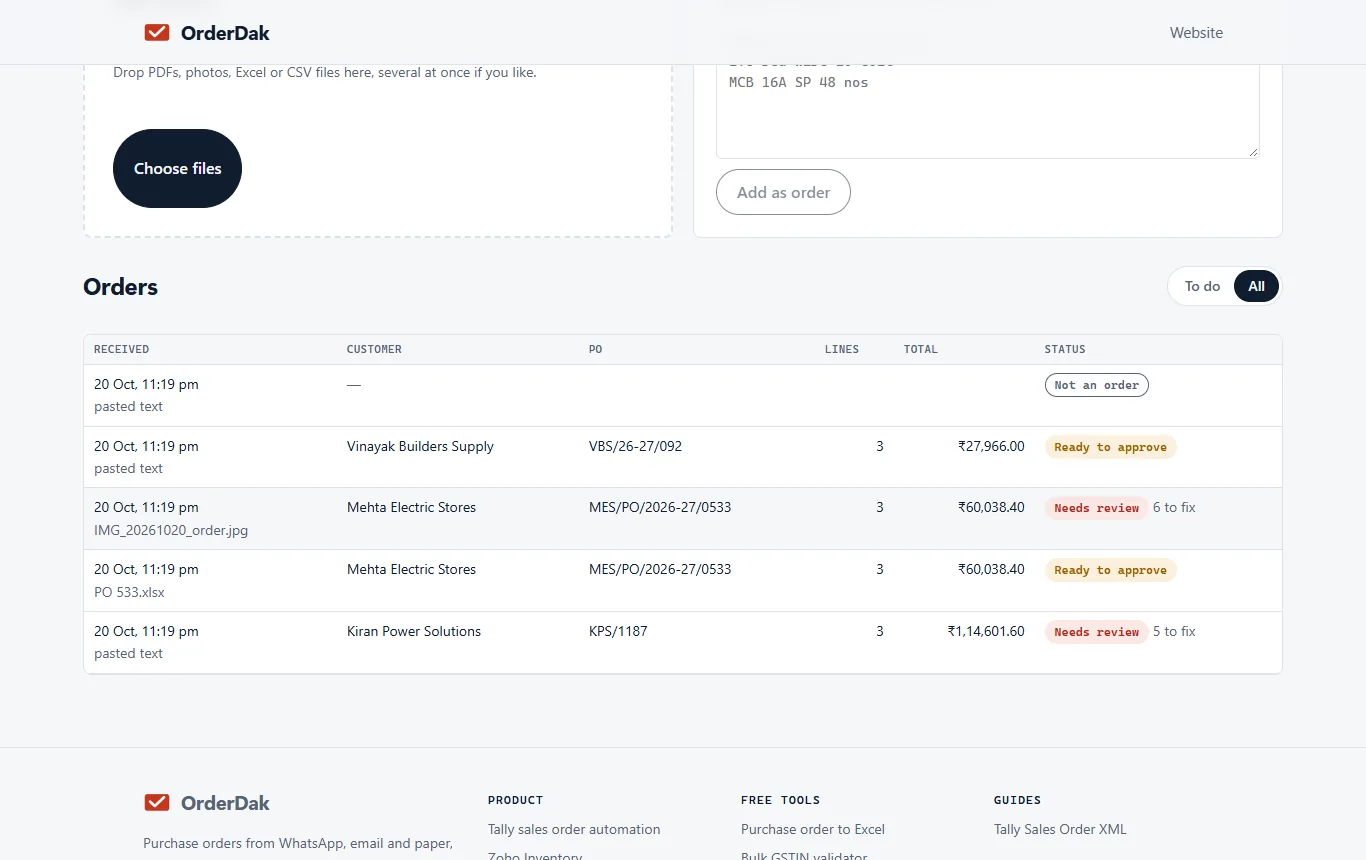
Clear the review queue
OrderDak sorts orders into ready to approve, needs review, or not an order. Fix the flagged lines; each confirmed match is learned for that retailer.
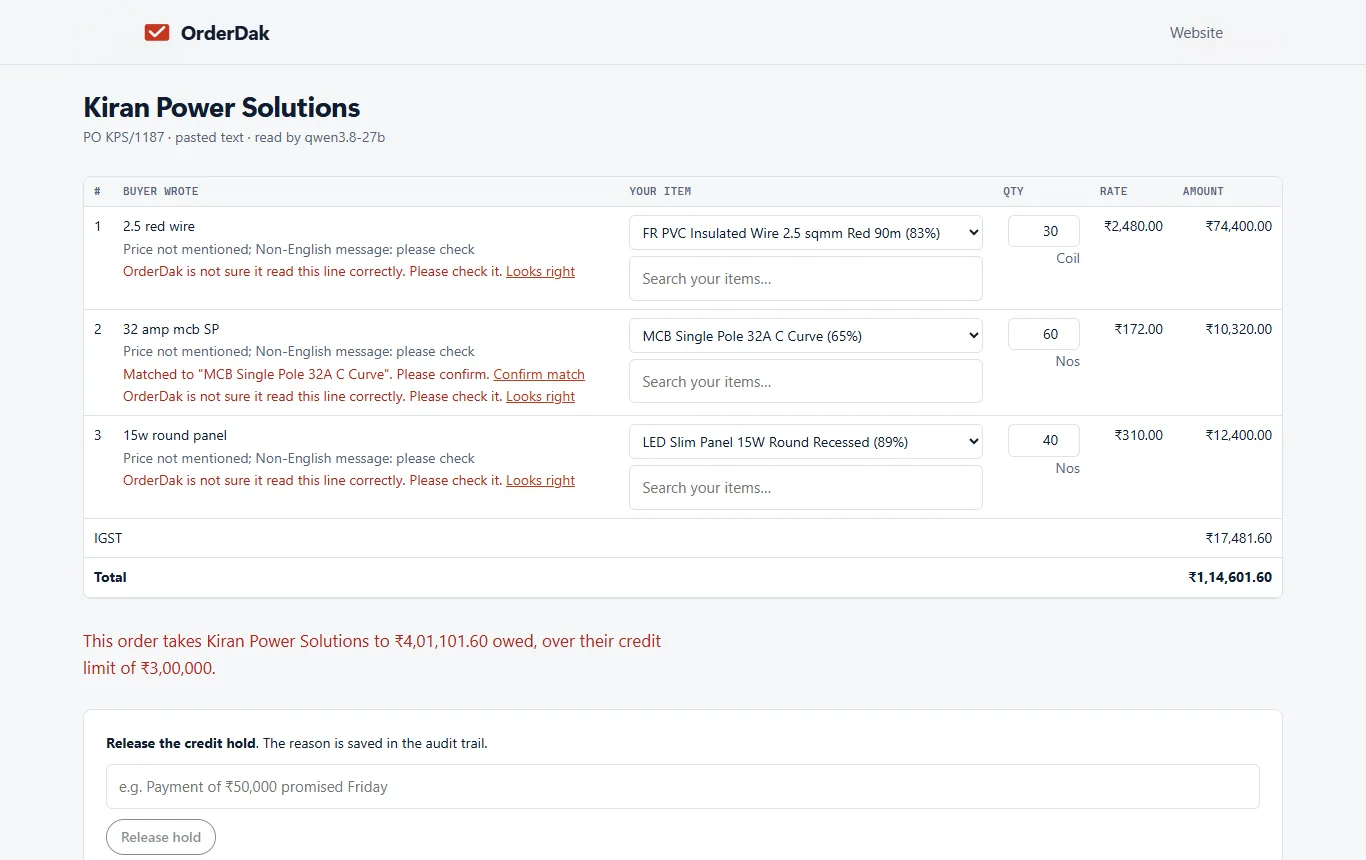
Decide on short stock
By default a stock shortfall is a warning. Change it to “hold” in Settings if you never want an order for more than you have.
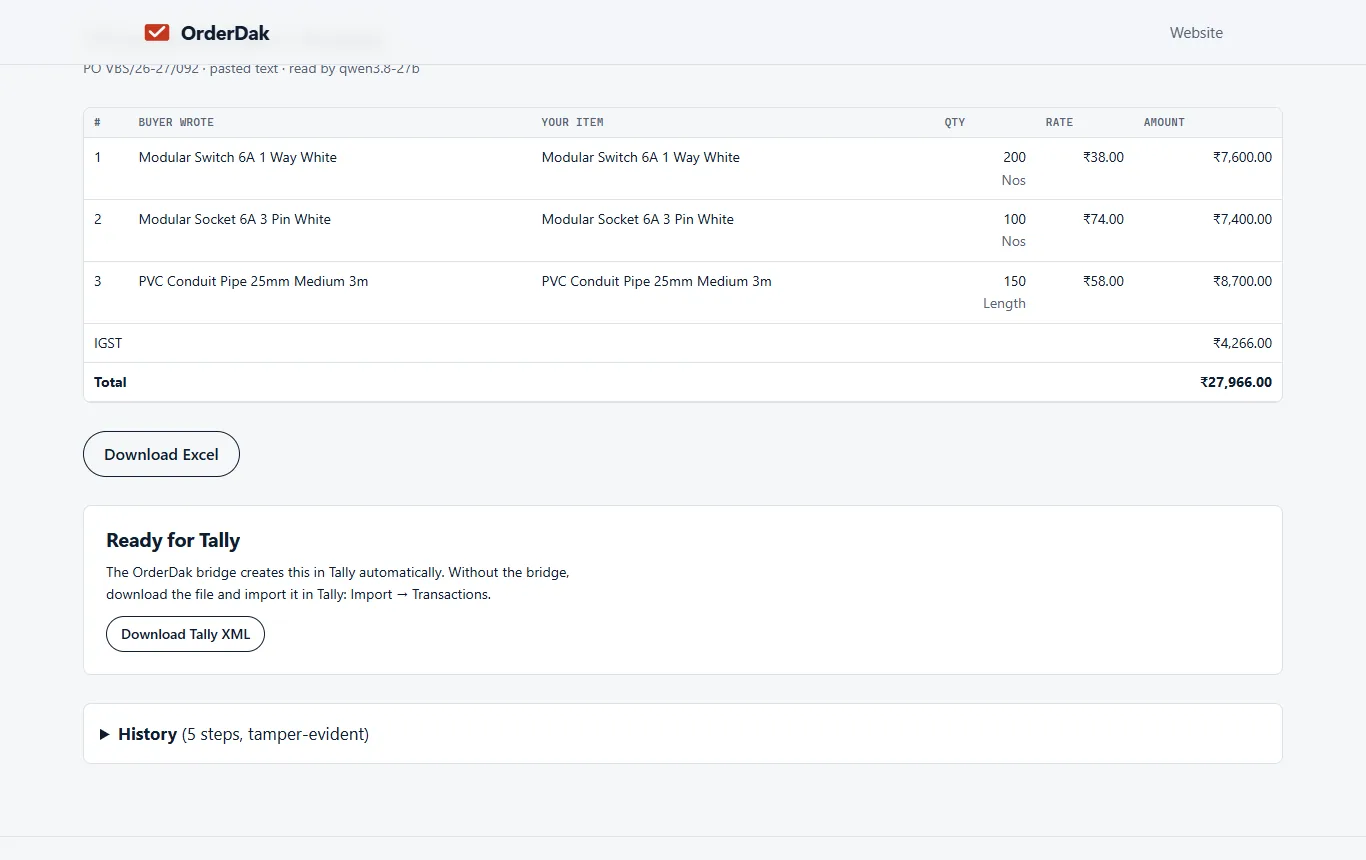
Approve into Tally
Approve, then import the Tally XML or let the bridge create the Sales Order on your Tally PC (beta).
When OrderDak is not the right tool
OrderDak is not a distributor management system. It has no salesman app, beat plans or retailer catalogue, and it does not read voice notes or connect to a WhatsApp Business number yet. If you need your salesmen to take orders in an app on the road, a field-sales or DMS tool fits better. If you need retailers to order through a WhatsApp bot, look at a WhatsApp ordering tool.
Questions
Can it read orders in Hindi or Hinglish?
It tries, but every order that is not in English goes to a person for review, so no line is posted unchecked.
Does it handle cases and pieces?
It checks the quantity against the pack size in your item list and warns when it is not a whole number of packs. You fix the line in review.
Can salesmen send voice notes?
Not yet. Voice-note orders are planned, not built.
Is there a cost per order?
Your first 3 months are free with no cap. After that, reading one order with AI costs about ₹0.25 (est.), paid from a prepaid balance.
Related: How to stop retyping WhatsApp orders into Tally · How to check the credit limit before a sales order in Tally · OrderDak vs Zotok.ai · Pricing
Last updated 1 November 2026 · by Venu Gopal Reddy Muvva, founder