How to catch duplicate purchase orders before they reach Tally
OrderDak checks every order's PO number against the orders already received from the same customer. If it matches, the order is blocked with “PO … was already received from this customer”, so nobody enters it twice. For Busy and Marg files, it also tracks which orders were already exported.
The same purchase order often arrives twice: once by email, once on WhatsApp, or again with “please process urgently”. If two people on the desk each pick one up, the order is entered twice and the goods go out twice.
Checking every PO number against past orders by hand means searching Tally for each one. Nobody has time for that, so duplicates are found at dispatch or when the customer complains.
OrderDak reads the PO number from each order and checks that the number appears in the original text. A PO number the same customer already sent is a blocking check: the order goes to review and can't be approved by accident. You can also search all orders by PO number.
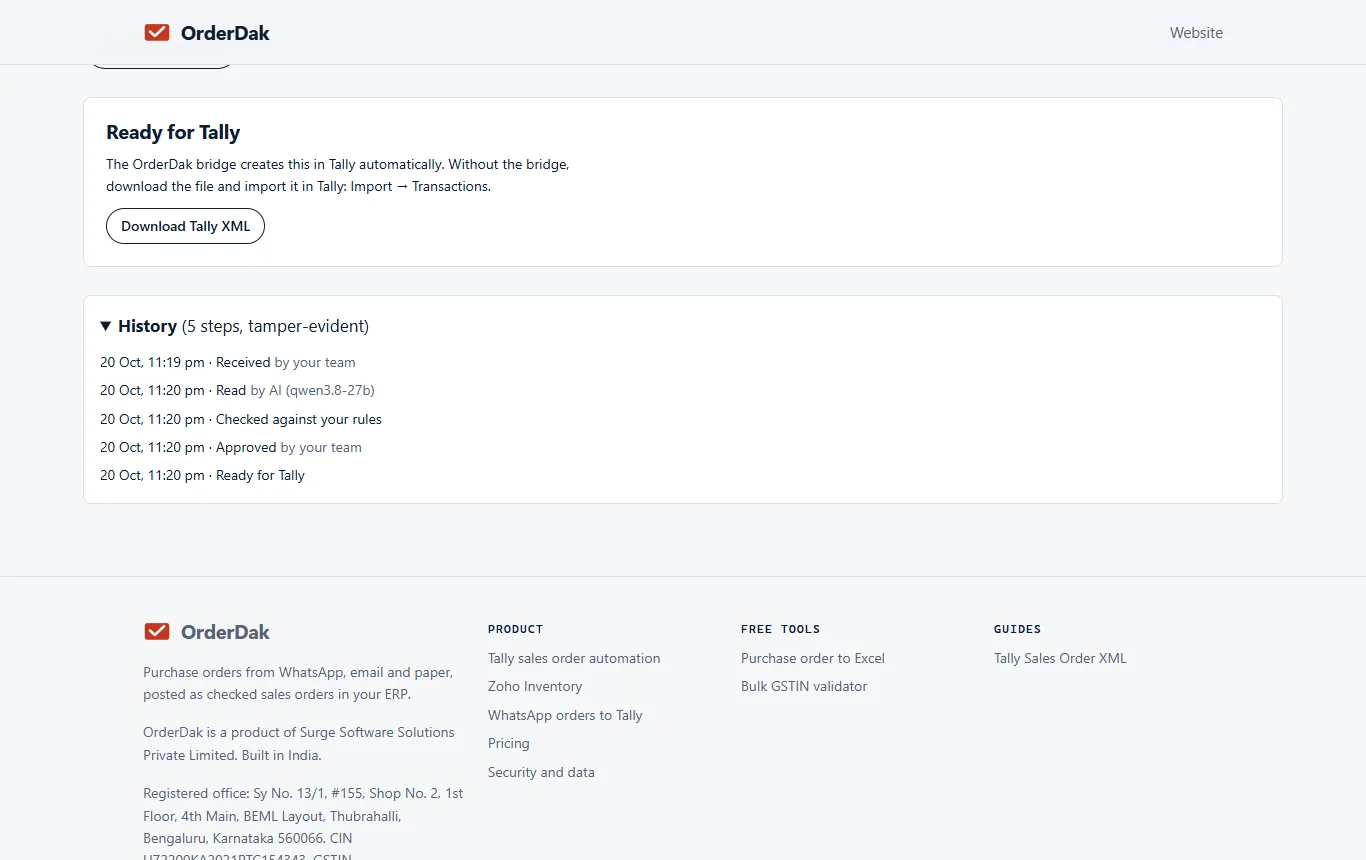
Duplicates also happen after approval. For Busy and Marg, every download of an import file is recorded and the order shows “Exported on …”. The bulk download takes only orders not exported yet, so the same order is not imported into your ERP twice by mistake. The order list also warns that importing an order twice creates it twice in your ERP.
Steps in OrderDak
Bring all orders into one inbox
Forward order emails and paste or upload WhatsApp orders, so every copy lands in the same place.
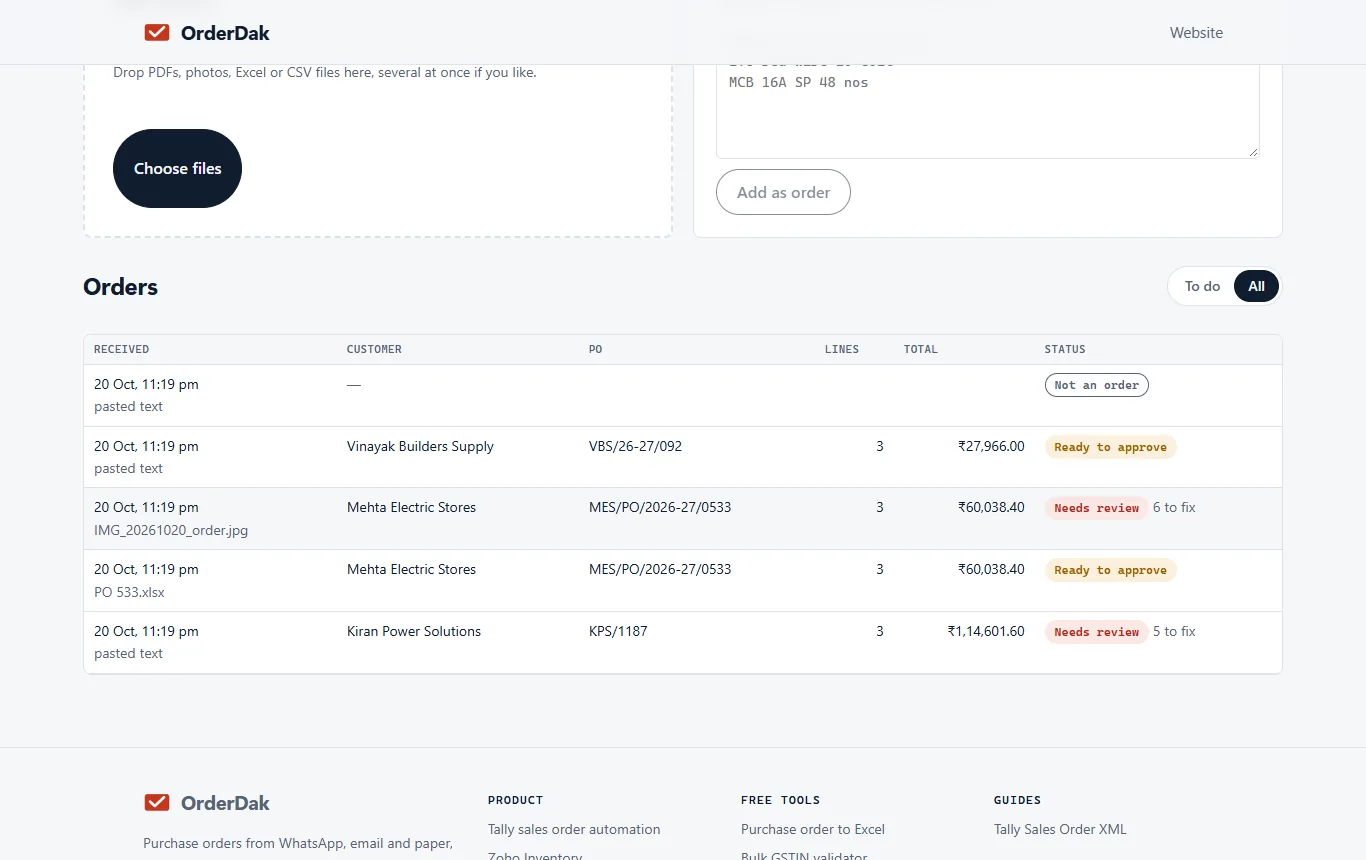
Let the check run
Each order is read and its PO number checked against earlier orders from that customer.
Look at the blocked order
A duplicate shows the message and goes to review.
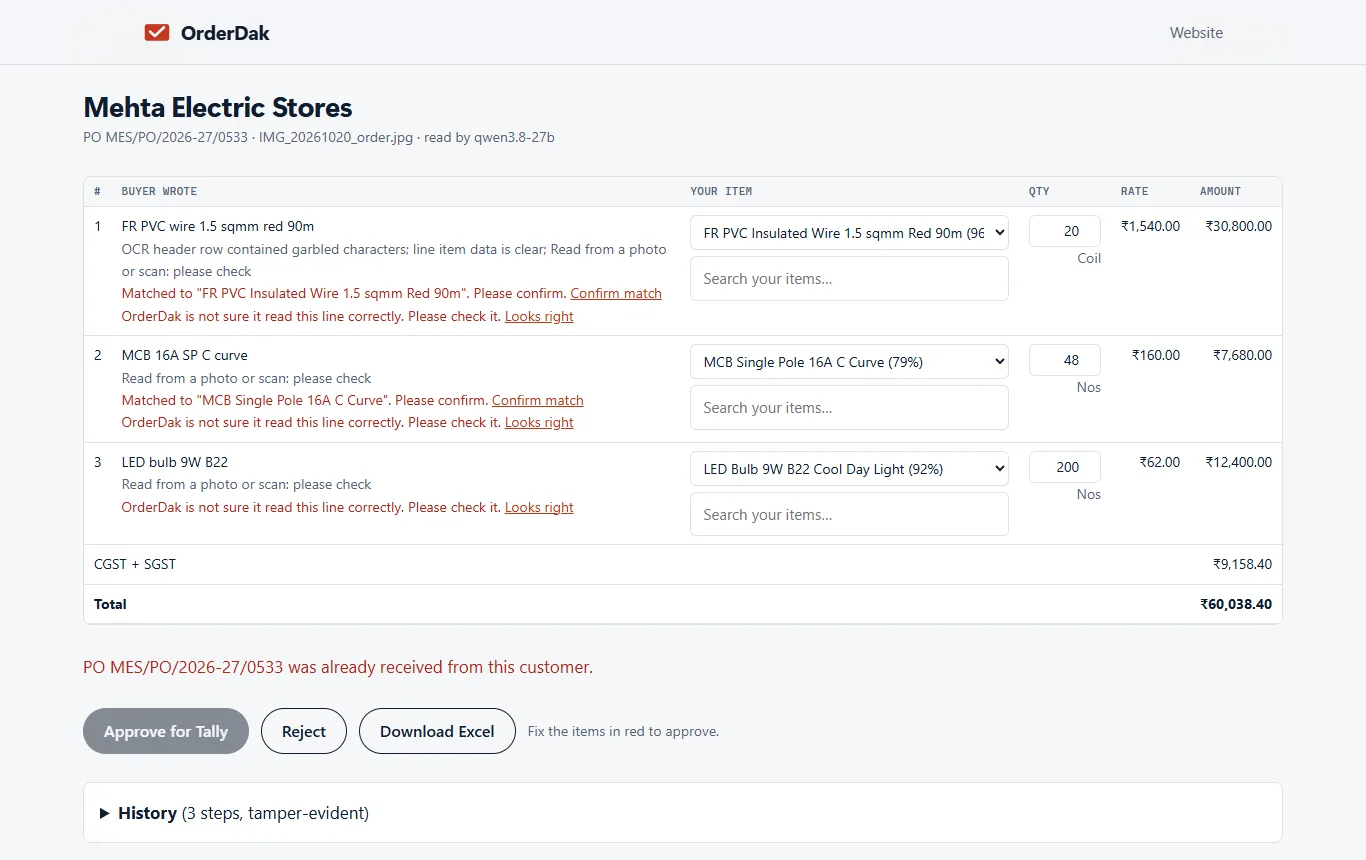
Compare with the first one
Search the order list by the PO number to open the earlier order.
Reject the copy
If it is the same order, reject it. If the customer reused the number for a new order, confirm with them first. Your choice is recorded.
When OrderDak is not the right tool
If your customers never send PO numbers, this check has nothing to compare, and you need to spot repeats by looking at the lines. If you want duplicate checks on supplier bills, that is purchase bill entry, which is not built yet.
Questions
Does it check across customers?
No. The check is per customer, because two customers can use the same PO number.
What if the PO number was read wrong?
OrderDak checks that the PO number appears in the original message. If it doesn't, the order is flagged for review.
Can I stop exporting the same order twice to Busy or Marg?
Yes. The bulk download skips orders already exported unless you tick “Include already exported”.
Can I turn the duplicate check off?
It is a blocking check, so a duplicate always goes to review. You decide there whether to reject it.
Does it work if orders come by WhatsApp and email?
Yes, as long as both copies come into OrderDak: one forwarded by email, one pasted. The PO number is checked whichever way it arrived.
Related: Dealer purchase orders for manufacturers, entered once · How to check the credit limit before a sales order in Tally · OrderDak vs Nanonets · Pricing
Last updated 1 November 2026 · by Venu Gopal Reddy Muvva, founder